For serious private label programs, “we’re working on it” is not enough.
Distributors and purchasing teams need clear visibility:
- What’s in production right now
- What’s already packed and ready
- What’s delayed (and why)
- When each purchase order will realistically ship
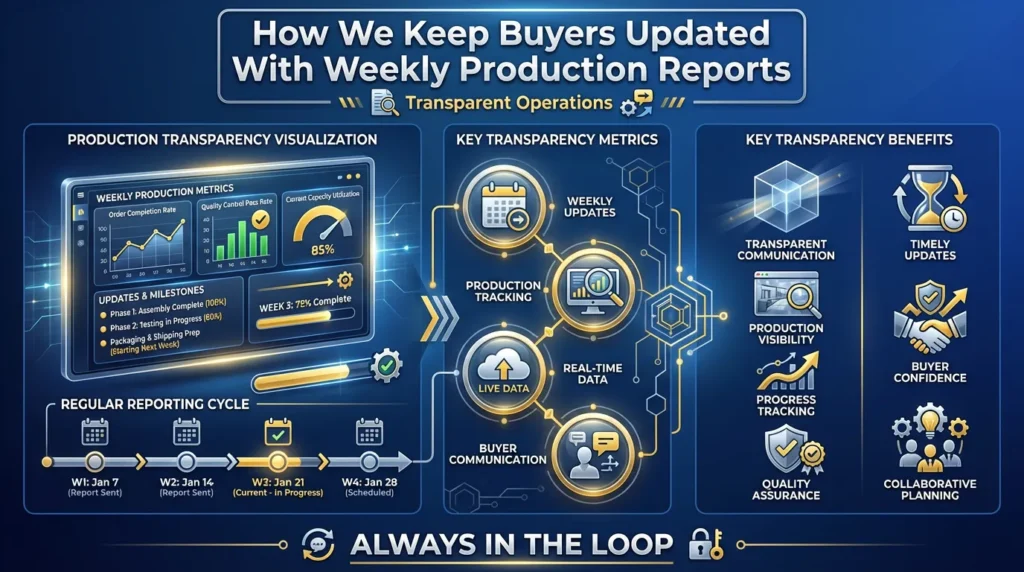
That’s why we built a simple but disciplined weekly production reporting system for our private label automotive filter customers.
It’s not a fancy portal or a oneoff spreadsheet. It’s a standardized weekly process that gives you production visibility you can actually manage your business with.
Below is how it works and what you see as a buyer.
One Weekly Snapshot – Always the Same Structure
1.1 Why a Standard Structure Matters
Most buyers waste time every week trying to interpret different formats:
- Random Excel files
- Screenshots from internal systems
- Email text with half the information missing
You shouldn’t have to decode your supplier’s updates.
That’s why every week our key buyers receive a standardized report for their open orders with exactly the same structure every time.
1.2 What’s Included in the Weekly Snapshot
Each report line shows:
- PO number / order reference
- Item number and description
- Ordered quantity
- Current production status(clear stage, not vague)
- Planned completion date
- Packing status
- Planned loading window / ETD
- Comments / alerts(if any issue or change)
Because the structure is always the same, your team can:
- Scan it in a few minutes
- Filter and sort by what matters to you
- Immediately see where every PO stands
No guessing, no digging in mail threads.
Clear Status Stages – No Vague “In Progress”
2.1 The Problem With Generic Status Updates
“In progress” can mean almost anything:
- Waiting for material
- Running on the production line
- Stopped due to an issue
- Or already finished, but not updated
We break the process into transparent and concrete stages so you know exactly what each order’s real status is.
2.2 Our Production Status Stages
Every PO in the weekly report is tagged with one of these clear stages:
- Material Prepared
- All components (media, steel, rubber, packaging) allocated for this order
- Production can start on schedule
- In Production
- Filters are being assembled or processed
- Actual production on our lines is ongoing
- Quality Checked
- Finished goods have passed QC
- Ready to move to packing
- Packed & Palletized
- All units are packed
- Pallets are ready to load into containers or onto trucks
- Booked for Shipment
- Space confirmed on a vessel or truck
- Planned ETD assigned
- Shipped
- Goods have left the factory
- ETD/ETA and basic tracking info included
2.3 What This Gives You as a Buyer
At a glance, you can see:
- Which POs are still early in the process
- Which are ready and just waiting for loading
- Which have already left and are on the water
You don’t need to ask “What does in progress mean?” – the stage tells you the truth.
Traffic Light Alerts for Risk and Priority
3.1 Turning Data Into Clear Risk Signals
A list of POs is useful, but it doesn’t tell you where to focus.
Inside the weekly report, we use a simple traffic light system for each PO:
- 🟢 Green – On track
- Progress is in line with the agreed schedule
- 🟡 Yellow – Slight delay / risk, but manageable
- Small deviations from plan
- Still within an acceptable window
- 🔴 Red – Needs attention
- Delay, route issue or capacity constraint
- Potential impact on your stock or commitments
3.2 Action Proposals for Red Lines
For each 🔴 red line, we don’t just signal a problem – we also provide a short explanation and possible actions, for example:
- Extra overtime planned to recover delay
- Alternative route suggested (e.g. different port or service)
- Split shipment option:
- Ship part earlier, balance later
- Clear indication of ETA impactif you choose each option
3.3 Benefit: You Don’t Need to Chase Us
Because the action points are already visible:
- You don’t have to send multiple emails asking “What can we do?”
- Your team can quickly decide:
- Which shipments to prioritize
- Which options to approve
The report becomes a management tool, not just information.
Connecting Production to Your Stock Reality
4.1 From “Our Factory View” to “Your Market Reality”
Many suppliers only report what’s happening on their side:
- What they are producing
- When they think it will ship
But without understanding your stock level and forecast, they can’t see:
- Which SKUs are truly critical
- Where a delay would really hurt you
4.2 Using Your Inventory and Forecast Information
When distributors share basic inventory / forecast information with us, we can go a step further in the weekly report.
We can flag:
- SKUs with higher stockout risk on your side
- POs that should be prioritizedfor packing and loading
- Opportunities to add topupsfor A items if there is space in the container
For example:
- If we see an Aitem where your days of cover are low and your PO is in production, we can highlight it as a priority for shipment.
- If there is extra space in a planned container, we can suggest adding topupsof selected A items to strengthen your safety stock.
4.3 Turning the Report Into a Joint Planning Tool
This way, the weekly report becomes:
- Not just a list of what we’re doing in our factory
- But a tool to protect your availabilityand market position
It connects production planning with your real risks and opportunities.
Combining Multiple Orders Into One View
5.1 The Reality of Complex Ordering Patterns
Most distributors don’t just place one order at a time. They may have:
- Regular container orders
- Seasonal topups (e.g. for winter or summer)
- Special project or tender orders
If each of these is tracked separately, your team ends up managing:
- Multiple email threads
- Several spreadsheets
- Different formats and update cycles
5.2 Consolidated Weekly Overview
In our weekly reporting, we bring all your open orders together into one consolidated overview, grouped by:
- Shipment / container, or
- Required delivery period, depending on how you prefer to manage it
This allows you to see:
- Which POs are grouped in the same shipment
- How different orders contribute to upcoming containers
- Which projects are linked to which loads
5.3 Less Admin, More Control
Your team doesn’t need to:
- Open 10 different files
- Track separate reports for each project
You get one clear weekly view of everything happening in production and packing for your brand.
Realistic Dates, Not “Nice” Dates
6.1 Why Cosmetic Updates Are Dangerous
Some suppliers treat reports as a comfort tool:
- Dates are left unchanged even when production slips
- ETAs are overly optimistic
- Problems are only mentioned very late
This might look good in the short term, but it prevents you from:
- Replanning locally
- Adjusting deliveries to your customers
- Managing expectations with key accounts
6.2 Our Approach: Honest, Updated Dates
We use the weekly report as a management tool, not a cosmetic one.
If there is a real impact, we:
- Adjust the planned completion date honestly
- Update the ETD/ETAonce the forwarder confirms changes
- Explain if the reason is:
- Material delay (and whether it’s resolved)
- Capacity reshuffle (e.g. prioritizing other critical SKUs)
- Route disruption (e.g. congestion, rerouting)
- Force majeure or external factor
6.3 How Honest Dates Help You
With realistic dates, you can:
- Reassign existing stock to different customers or regions
- Push or adjust local promotions
- Communicate proactively with key customers
Honest information early is better than optimistic information too late.
Easy Format for Your Internal Use
7.1 How Buyers Actually Use Supplier Data
Most buyers end up taking the supplier’s report and feeding it into:
- Internal ERP or planning systems
- Excel or Google Sheets used for local tracking
- Team chats (WhatsApp, Teams, Slack)
- Meetings with sales, logistics or management
If the report is overloaded with decoration, images, or unstructured text, it becomes hard to reuse.
7.2 Report Format Designed for Reuse
We keep the format:
- Excel or Google Sheet friendly
- Simple, flat table structure
- No heavy formatting that breaks imports
- With clear headings and filters:
- PO number
- SKU
- Status stage
- Completion date
- Loading window / ETD
- Traffic light status
- Comments
- Minimal decoration, maximum usable data
7.3 Quick Filters Your Team Can Use
You can quickly filter for:
- All orders shipping in the next 2 weeks
- All A items currently in production
- All 🔴 linesand the cause of each risk
This makes it easy to reuse our data instantly in your internal processes.
Weekly Rhythm With a Fixed Contact
8.1 Why Rhythm Builds Trust
Random updates make planning impossible.
We follow a fixed reporting rhythm so you always know when the next visibility point is coming.
8.2 Our Weekly Process
Typically:
- The report is sent every Tuesday or Wednesday, adapted to your time zone
- It is sent by your dedicated account manager
- When needed, it is followed by a short callto:
- Review 🔴 and 🟡 lines
- Agree on actions for critical POs
8.3 Stable Communication, Less Noise
This rhythm:
- Reduces the number of ad hoc “any update?” emails
- Creates a predictable cadencefor your internal meetings
- Helps both teams stay aligned without extra noise
You know: once a week, you’ll get a structured view of everything in motion.
How Weekly Production Reports Help You as a Buyer
With weekly production reports, you can:
- See weeks in advanceif something will affect your stock
- Decide where to prioritize inventory and customer commitments
- Update your own teams and key customers without waitingfor ad hoc replies
- Spend less time chasing updatesand more time planning your business
In a market where lead times, routes and demand can shift quickly, structured visibility is a real competitive advantage.
If your current supplier can’t tell you clearly:
- What’s in production
- What’s ready to ship
- What’s delayed and why
…that uncertainty becomes your cost.
We built our weekly production report system so that, as a Beling partner, you don’t have to manage in the dark.
Beling – Save Your Time & Cost
Your valuable automotive filter partner since 2008.
Contact Our Team
Bruce Gong – Key Account Manager, Beling Filters
Email: bruce.gong@belingparts.com
WhatsApp: +86 150 5776 4729
LinkedIn: www.linkedin.com/in/brucegong-beling
We’re happy to share how we usually adjust pallets for EU vs Middle East vs Latin America markets, and help you fine tune palletization to your warehouse system.